


A completed appointment should be easy to trace: clinical note, recorded charges, submitted claim, payer response, and payment. Before buying software, ask your team to follow one visit through that entire sequence. Every missing connection deserves attention.
The best chiropractic medical billing and coding software helps clinics keep those records connected while giving billers a clear view of unfinished work. Choosing it requires more than comparing appointment calendars or watching a fast SOAP-note demonstration.
ChiroTouch, ChiroFusion, and ChiroSpring merit consideration because their published offerings connect chiropractic documentation with billing functions. Their packages, clearinghouse arrangements, and implementation limitations differ, however. Those differences should shape your shortlist.
Why clinics need connected billing and documentation
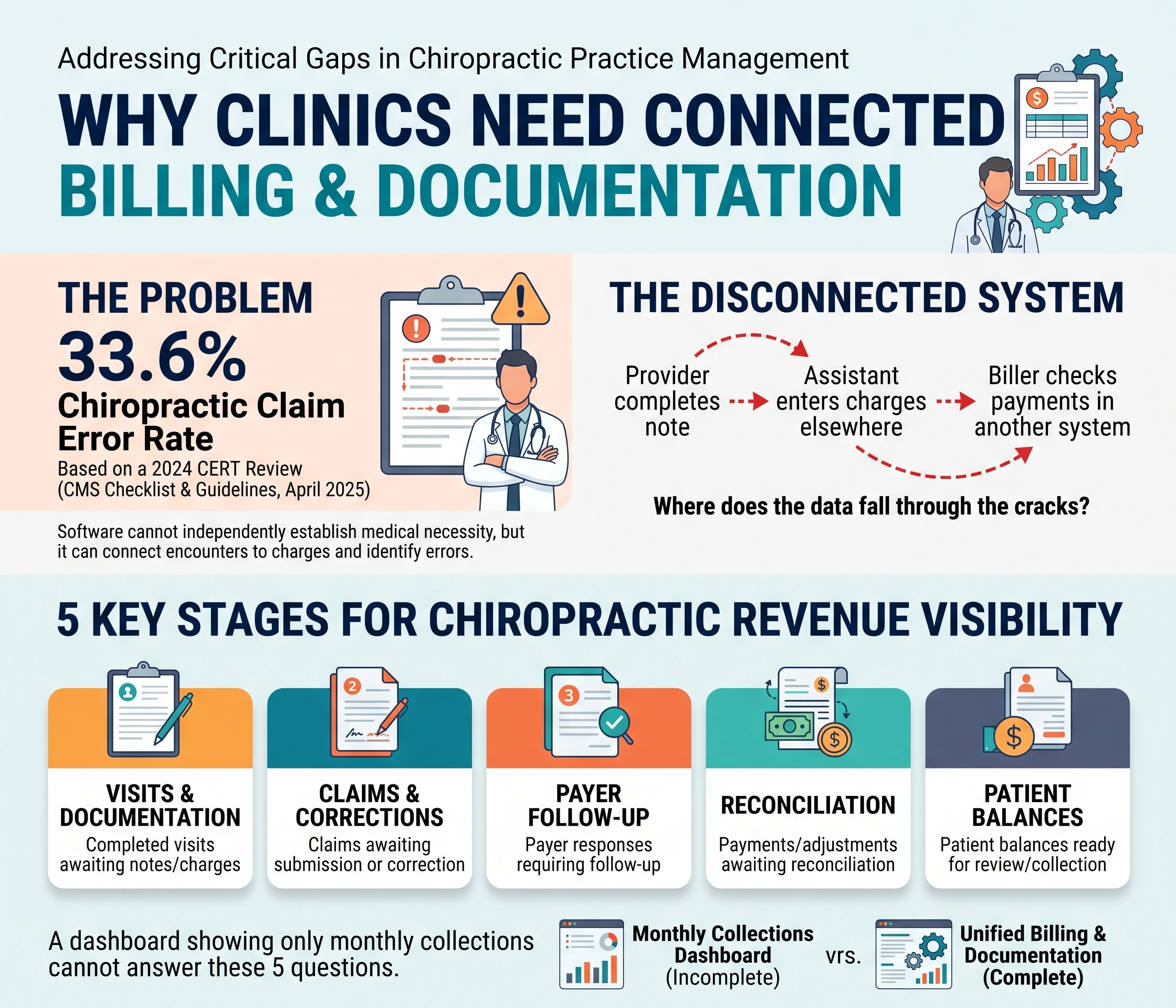
Documentation problems have measurable consequences. According to CMS’s April 2025 Medicare Documentation Checklist & Guidelines for Chiropractic Doctors, a 2024 Comprehensive Error Rate Testing (CERT) review identified errors in 33.6% of chiropractic claims. That figure concerns Medicare claim review, not a universal commercial-insurance denial rate.
Software cannot independently establish medical necessity. It can provide a structured place to record findings, connect charges to encounters, and identify claims needing attention.
Consider a hypothetical clinic where the provider completes a note, an assistant enters charges elsewhere, and a biller checks payments in another system. The useful purchasing question is specific: which transfers will the proposed software remove, and how will staff detect anything that fails?
For chiropractic revenue cycle management, require visibility into these separate stages:
- Completed visits awaiting documentation or charges.
- Claims awaiting submission or correction.
- Payer responses requiring follow-up.
- Payments and adjustments awaiting reconciliation.
- Patient balances ready for review and collection.
A dashboard showing only monthly collections cannot answer all five questions.
Best chiropractic medical billing and coding software: three options to compare
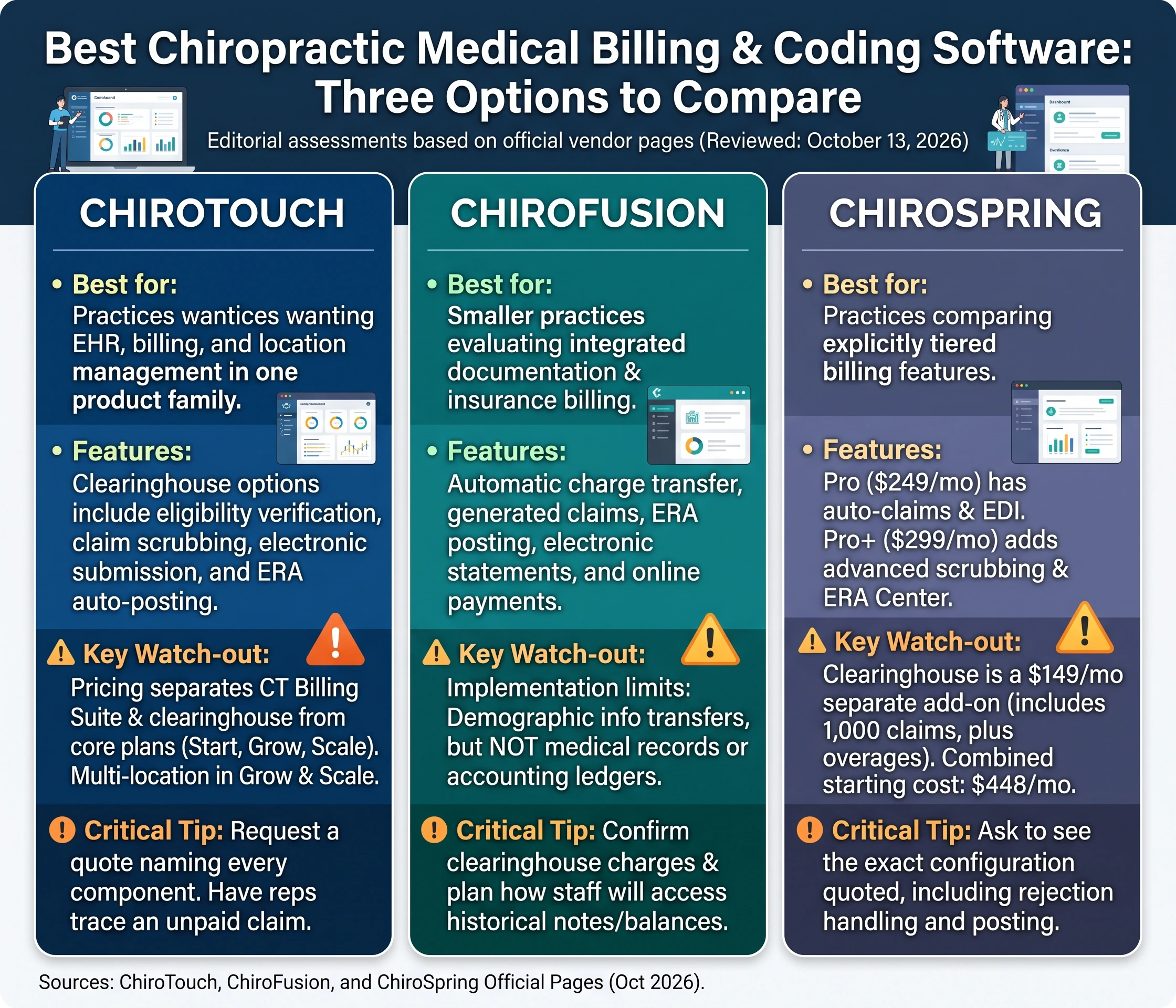
This chiropractic billing software comparison uses official vendor pages reviewed on October 13, 2026. The suggested fits below are editorial assessments of published capabilities, not results from hands-on testing. Vendor pages without publication dates are identified by that review date.
Software | Suggested fit | Published billing capabilities | Purchasing consideration |
ChiroTouch | Practices wanting EHR, billing, and location management within one product family | Clearinghouse options include eligibility verification, claim scrubbing, electronic submission, and ERA auto-posting | Current pricing separates CT Billing Suite and clearinghouse options from core plans. Multi-location support appears in Grow and Scale. |
ChiroFusion | Smaller practices evaluating integrated documentation and insurance billing | Automatic charge transfer, generated claims, ERA posting, electronic statements, and online payments | Confirm clearinghouse charges for your payer mix and the limits of historical-data migration. |
ChiroSpring | Practices comparing explicitly tiered billing features | Pro includes automatic claim creation and EDI download; Pro+ adds an advanced scrubber and ERA Center | Its integrated clearinghouse is a separate add-on, with claim and eligibility-check allowances. |
Sources: ChiroTouch’s Pricing & Plans, ChiroFusion’s Features and Plans & Pricing, and ChiroSpring’s Software Pricing Tiers, reviewed October 13, 2026.
ChiroTouch: examine the complete billing configuration
ChiroTouch’s current pricing page lists Start, Grow, and Scale plans, alongside CT Billing Suite and integrated clearinghouse options. Both volume-based and unlimited-claims clearinghouse configurations require CT Billing Suite.
Request a quote that names every required component. During the demonstration, have the representative trace an unpaid claim from the original encounter through its payer response and follow-up activity.
For multi-provider and multi-location practices, also test whether staff can separate work by provider and location without losing visibility across the organization.
ChiroFusion: investigate migration before committing
ChiroFusion’s feature page describes charges moving automatically into billing, generated claims, automatic ERA posting, and electronic patient statements. Those functions make it worth evaluating for clinics seeking chiropractic EHR and billing software with connected daily workflows.
Its pricing FAQ discloses a material implementation limitation: demographic information can be transferred, but medical records and accounting ledgers are not included in its stated migration capability. An established practice should therefore plan how staff will access historical notes and collect outstanding balances.
Ask for a written migration inventory before signing.
ChiroSpring: distinguish claim creation from clearinghouse access
ChiroSpring lists 360 Pro at $249 monthly and Pro+ at $299 monthly. Its clearinghouse add-on is listed separately at $149 monthly and includes 1,000 claims, with overage charges. These are published prices reviewed October 13, 2026.
A practice considering Pro+ with that add-on would therefore start at $448 monthly before other applicable charges. This illustrates why comparing entry-level subscription prices can produce an incomplete budget.
Ask the vendor to demonstrate the exact configuration quoted, including rejection handling and payment posting.
What billing automation should actually do
Connect the encounter to the claim
When assessing billing software for chiropractors, begin with patient scheduling and documentation. Ask whether a completed visit can be reconciled against a signed note, recorded services, and a claim.
ChiroFusion, for example, explicitly describes automatic charge transfer from documentation into billing. That verifies a connection exists; your demonstration should establish how corrections, deleted charges, and unsigned notes are handled.
Use a test patient with more than one service. Check diagnosis pointers, provider details, and any required modifiers before submission. Speed alone is an inadequate acceptance criterion.
Make claim problems actionable
ChiroTouch publishes claims-scrubbing and electronic-submission capabilities in its clearinghouse offerings. ChiroSpring lists an advanced claim scrubber within Pro+. Neither feature description establishes that every payer requirement or documentation problem will be detected.
Ask what each edit checks, where its rules originate, and how updates reach the practice.
For insurance claims management, require a demonstration of assignment, correction, resubmission, and follow-up dates. A visible error message is useful only if someone can resolve it and track the result.
Separate payment information from the money
An electronic remittance advice (ERA) explains claim payment and adjustments. An electronic funds transfer (EFT) moves the money. CMS distinguishes these transactions and encourages providers to enroll for both with participating health plans.
An explanation of benefits (EOB) may help a person understand claim processing, but ask specifically about machine-readable ERA support when evaluating automated payment posting.
Test an underpayment, a denied service line, and a reversal. Require a way to review exceptions and reconcile posted amounts with deposits. Integrated payment processing for patient cards should receive its own demonstration, including refunds and ledger corrections.
Coding support must preserve clinical judgment
The best chiropractic billing and coding software should make accurate review easier. A code list or automatic modifier setting does not establish that a service meets coverage requirements.
CMS’s MLN Matters SE1602: Use of the AT Modifier for Chiropractic Billing, issued in 2016, explains that AT identifies active treatment for the relevant chiropractic manipulation services. Maintenance therapy should not carry AT, and the modifier’s presence alone does not establish that treatment is reasonable and necessary.
That distinction deserves a specific software test: can the clinic prevent an old modifier setting from carrying forward without review?
CMS’s April 2025 documentation checklist also calls for records addressing the patient’s condition, examination findings, treatment, and changes since the previous visit. It recommends treatment goals and objective measures of effectiveness.
Evaluate chiropractic documentation software against those needs. Ask the provider to document an actual change in findings rather than repeating a previous note.
For students learning chiropractic medical coding, follow the reasoning behind a claim: what service was documented, what code represents it, and what payer rules apply? CPT coding support should help answer those questions without concealing them.
Compare total cost before choosing a subscription
Build a written cost comparison covering the base subscription, additional providers, clearinghouse access, eligibility checks, payment processing, training, migration, and cancellation terms.
ChiroFusion’s pricing page, for example, lists Essentials at $129 monthly with a 12-month commitment or $149 on a monthly arrangement. It also identifies setup and additional-provider charges, while its clearinghouse FAQ describes charges associated with nonparticipating payers. Temporary promotions may alter initial costs.
Request pricing based on your actual payer mix and claim volume. Ask vendors to distinguish software fees from optional outsourced billing services.
Avoid calculating savings from advertised productivity percentages alone. Instead, time your current charge entry, payment posting, and follow-up tasks, then repeat representative tasks during the demonstration.
Plan implementation around unfinished work
Before changing chiropractic practice management software, define who owns every open balance and pending claim during the transition.
Use a written acceptance checklist:
- Verify migrated demographics and insurance information.
- Confirm access to historical notes and ledgers.
- Test provider, location, and payer settings.
- Confirm claim submission and ERA enrollment arrangements.
- Reconcile opening balances.
- Assign responsibility for claims remaining in the previous system.
For security and continuity, request the business associate agreement, access-control options, audit history, backup procedures, and export terms. Have staff demonstrate the export process before committing.
After launch, review completed visits without charges, rejected claims awaiting correction, unresolved remittances, and aging balances. Keep the definitions consistent so comparisons remain useful.
Choose the system your clinic can verify
The best chiropractic medical billing and coding software is the configuration that passes your clinic’s encounter-to-payment tests at an understood cost. ChiroTouch, ChiroFusion, and ChiroSpring provide documented billing capabilities, but their packaging and migration arrangements differ.
Before signing, require one demonstrated workflow: a documented visit, reviewed coding, submitted claim, returned remittance, and reconciled balance. That evidence gives the purchasing decision a practical foundation.