

Medicare Part B claims pass through an automated check before payment, and that check compares NCCI code pairs. A biller who never opens the list of pairs hears about a conflict from a denial. This makes NCCI procedure-to-procedure lookup an essential step in accurate claim processing. The National Correct Coding Initiative (NCCI) edits, published by the Centers for Medicare & Medicaid Services (CMS), decide which of two reported codes gets paid for a given patient on a given date of service.
Volume rules out memorization. The practitioner edit set effective October 1, 2026 (file version v323r0) is split into four files of roughly 612,000 to 675,000 records each, and CMS replaces the set every quarter.
Why NCCI procedure-to-procedure lookup matters in claim processing: what the edit does to a claim
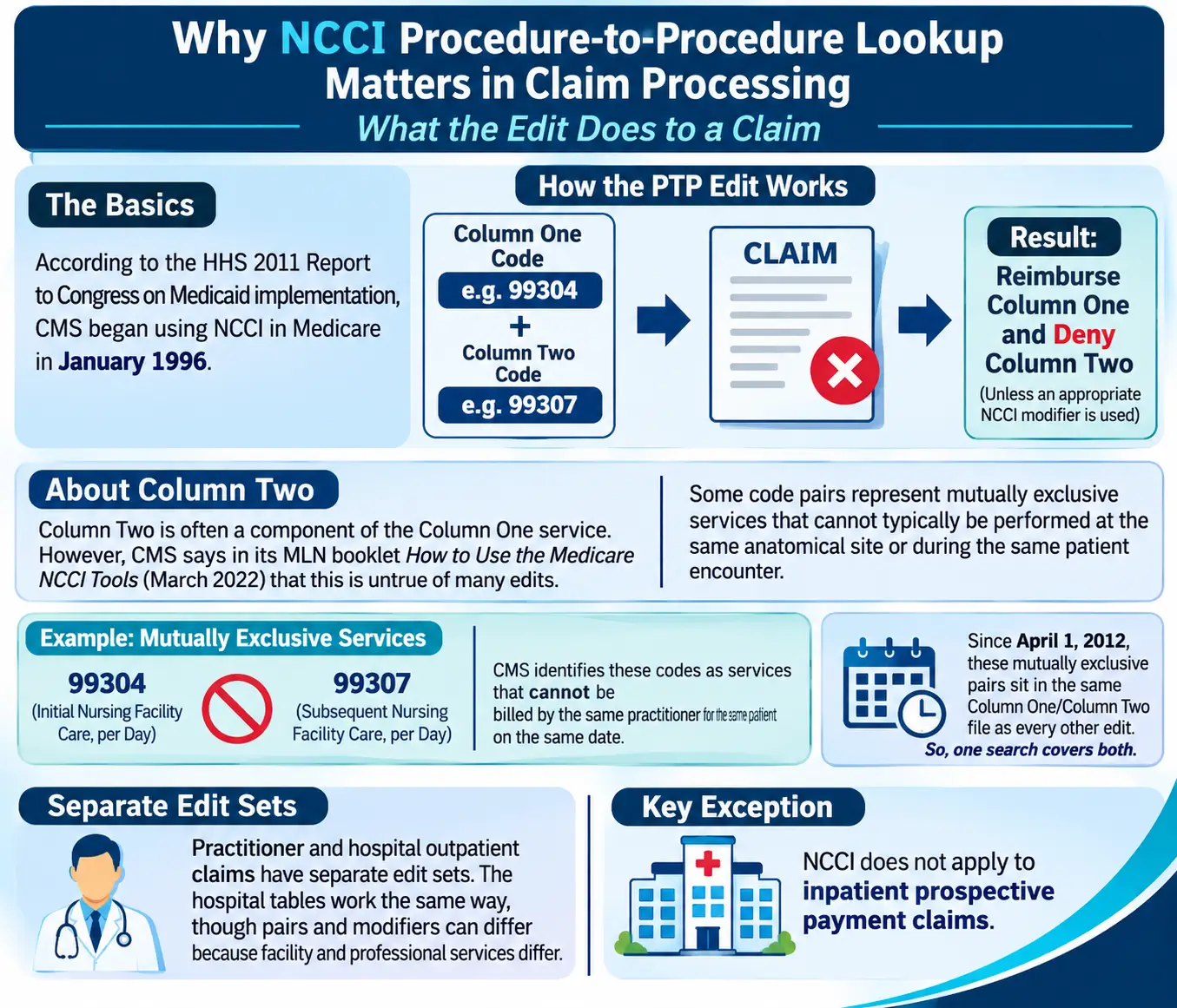
According to the Secretary of Health and Human Services’ 2011 Report to Congress on Medicaid implementation, CMS began using NCCI in Medicare in January 1996. Each procedure-to-procedure (PTP) edit identifies a Column One code and a Column Two code. If both codes are reported for the same beneficiary on the same date of service, CMS generally reimburses the Column One code and denies the Column Two code unless an appropriate NCCI PTP-associated modifier is appended when clinically justified.
Column Two is often a component of the Column One service. CMS says in its MLN booklet How to Use the Medicare NCCI Tools (March 2022) that this is untrue of many edits. Some code pairs represent mutually exclusive services that cannot typically be performed at the same anatomical site or during the same patient encounter. For example, CMS identifies codes 99304 (initial nursing facility care, per day) and 99307 (subsequent nursing facility care, per day) as services that cannot be billed by the same practitioner for the same patient on the same date. Since April 1, 2012, those mutually exclusive pairs sit in the same Column One/Column Two file as every other edit, so one search covers both.
Practitioner and hospital outpatient claims have separate edit sets. The hospital tables work the same way, though pairs and modifiers can differ because facility and professional services differ. NCCI does not apply to inpatient prospective payment claims.
Reading an NCCI PTP edits lookup result
A lookup returns more than two codes. The column that decides the outcome is the correct coding modifier indicator (CCMI), defined in the same MLN booklet.
Indicator | Meaning | Effect on the Column Two code |
0 | No NCCI-associated modifier is allowed | Denied whenever Column One is paid for the same patient and day |
1 | Modifiers allowed when appropriate | Payable if the record supports a separate service |
9 | No active edit for the pair | No NCCI restriction applies |
An indicator of 1 lets a modifier through only when the record supports it. CMS’s MLN booklet Proper Use of Modifiers 59, XE, XP, XS & XU (April 2026) describes modifier 59 as one that physicians and providers often use incorrectly, and it tells billers to choose XE, XP, XS, or XU whenever one of them fits. The same booklet states that different diagnoses are not adequate grounds for any of these modifiers.
Cardiology supplies a concrete case. CMS lists cardiac catheterization code 93453 in Column One and fluoroscopy code 76000 in Column Two, and instructs billers not to report 76000, with or without modifiers, when the fluoroscopy supports the catheterization. A modifier becomes acceptable only when the fluoroscopy was performed for an unrelated procedure.
Using an NCCI lookup tool: CMS files and MAC search pages
Searching the CMS edit files
In practice, the CMS NCCI edits lookup tool is a set of downloadable files, and the MLN booklet teaches searching them with the Excel filter feature. The CMS procedure-to-procedure page posts the edits as zipped files in Excel or text format, and downloading requires accepting the American Medical Association license agreement. Practitioner and hospital edits each come as four tables named by code range. According to the booklet, Column One CPT codes ending in M, U, or T sit in the first table, and HCPCS Level II codes sit in the last.
Search rules differ by column. A code checked as Column One needs only the table covering its range. A code checked as Column Two needs every table, because it can pair with a Column One code anywhere in the set, and a search of one table alone misses pairs.
Searching a MAC lookup page
Palmetto GBA, the Part B Medicare Administrative Contractor (MAC) for Jurisdiction M, runs an NCCI procedure-to-procedure lookup tool on its website. A biller enters a major procedure code, and the results come back as Column I or Column II pair lists. That removes the spreadsheet filtering.
Claim scrubbing software runs the same comparison automatically, but only against the file version loaded into it. A scrubber that skipped a quarterly import checks claims against outdated edits, and a spot check against a CMS file or a MAC lookup exposes the gap.
Quarterly versions and the date of service
CMS posted the October 1, 2026 practitioner and hospital files on September 2, 2026. The next package, version 33.0, takes effect January 1, 2027 under CMS Transmittal 13946 (Change Request 14611, dated September 17, 2026). Test files were scheduled for about November 2, 2026, with final files due on or about November 17.
The transmittal sets the effective date as the date of service unless otherwise specified. The file a biller searches should therefore match the service date, not the submission date, so a December 30 service submitted in January still falls under the edits in force in December. Version 33.0 also carries every earlier version back to January 1, 1996, so deleted pairs remain in the file with a deletion date.
One more instruction in the transmittal affects billing offices directly. Contractors were told not to search their files to retract payment or to retroactively pay claims, and to adjust claims that are brought to their attention. When an edit change applies to earlier dates of service, the contractor will not go back and re-pay claims on its own, so the billing office has to bring affected claims forward.
NCCI edits procedure-to-procedure lookup for Medicaid claims
Section 6507 of the Affordable Care Act amended Section 1903(r) of the Social Security Act and required state Medicaid programs to use compatible NCCI methodologies for claims filed on or after October 1, 2010, according to the 2011 Report to Congress. Medicaid NCCI edits are hosted on Medicaid.gov, with separate sets for DME, outpatient hospital, and practitioner services.
CMS notes that the Medicaid NCCI program differs from Medicare’s in key respects, and a state can restrict modifiers. In the MLN booklet How to Use the Medicaid NCCI Tools (April 2022), CMS says a provider may use a modifier to bypass a Medicaid PTP edit only if the state Medicaid program allows it. One of CMS’s Medicaid examples: Medicaid does not reimburse 0362T (behavior identification supporting assessment) alongside 99215 unless a modifier is appended. A Medicare lookup showing indicator 1 therefore does not settle a Medicaid claim. CMS’s Medicaid NCCI FAQ library adds that some private insurers, including Medicaid managed care organizations and Medicare Advantage organizations, adopt Medicare’s NCCI methodologies voluntarily, so the edit set in force depends on the payer.
What a lookup does not decide
NCCI denials are coding denials. Palmetto GBA’s NCCI page states that these denials reflect incorrect coding rather than medical necessity, so an Advance Beneficiary Notice of Noncoverage cannot be used to shift liability to the patient.
Medically Unlikely Edits (MUEs) are a separate check, and despite the name they do not examine code combinations. They cap the units of service for one code per patient per date of service, and the MUE tables carry no modifier column, per the MLN booklet.
The edit file cannot read the chart. A modifier moves a line past the edit, but coding compliance depends on documentation showing a separate site, encounter, or timed block. CMS states that medical documentation must support the modifier.
Building the lookup into the billing workflow
CMS’s modifier booklet includes a pairing that shows how lookup and documentation work together. A cardiovascular stress test (93015) sits in Column One and a rhythm ECG with interpretation and report (93040) in Column Two. Modifier 59 or XE should be used only when the ECG interpretation and report occur during a separate encounter from the stress test. An ECG read during the stress test encounter is not reported at all. The lookup shows that the pair exists. The encounter notes show which outcome applies.
A short routine covers most claims:
- Match the edit file to the date of service, and confirm the scrubber has loaded it.
- Search each billed code as Column One and as Column Two.
- Read the modifier indicator: with 0 the Column Two code will not be paid, with 1 check the record, with 9 no active edit applies.
- Confirm the record shows a separate site, encounter, or timed block before adding 59 or an X modifier.
- For Medicaid and commercial claims, check the payer’s modifier rules.
A lookup is one step in the billing workflow, set against files CMS revises every quarter. Skipping it risks a denied Column Two line, a modifier the record cannot support, or a Medicaid claim held to a state rule nobody checked. NCCI procedure-to-procedure lookup matters in claim processing because it exposes the payer’s code-pair rules before claims adjudication, while a claim can still be corrected rather than appealed, and because it keeps reimbursement accuracy tied to what the record documents.